ConvoAI AI Employee
An AI Employee that resolves,not one that deflects.
It answers customers in the messenger on your website from your own knowledge, takes the actions you allow, and brings in your team the moment a person is the better answer.
Free plan includes one AI Employee. No credit card required.
The problem
Most chatbots answer the easy question, and the customer still come back to your team.
- 01
Scripted bots break on the first question nobody wrote a branch for.
ConvoAI reads what the customer means and answers from your content, in their language.
- 02
Answers drift from your real prices, hours and policies.
Every reply is grounded in your knowledge base, and the AI Employee escalates instead of inventing facts.
- 03
Handoffs lose the thread, so customers repeat themselves.
Your teammate picks up the same conversation with its full history and an AI summary of it.
Grounded answers
Trained on your business, not the internet
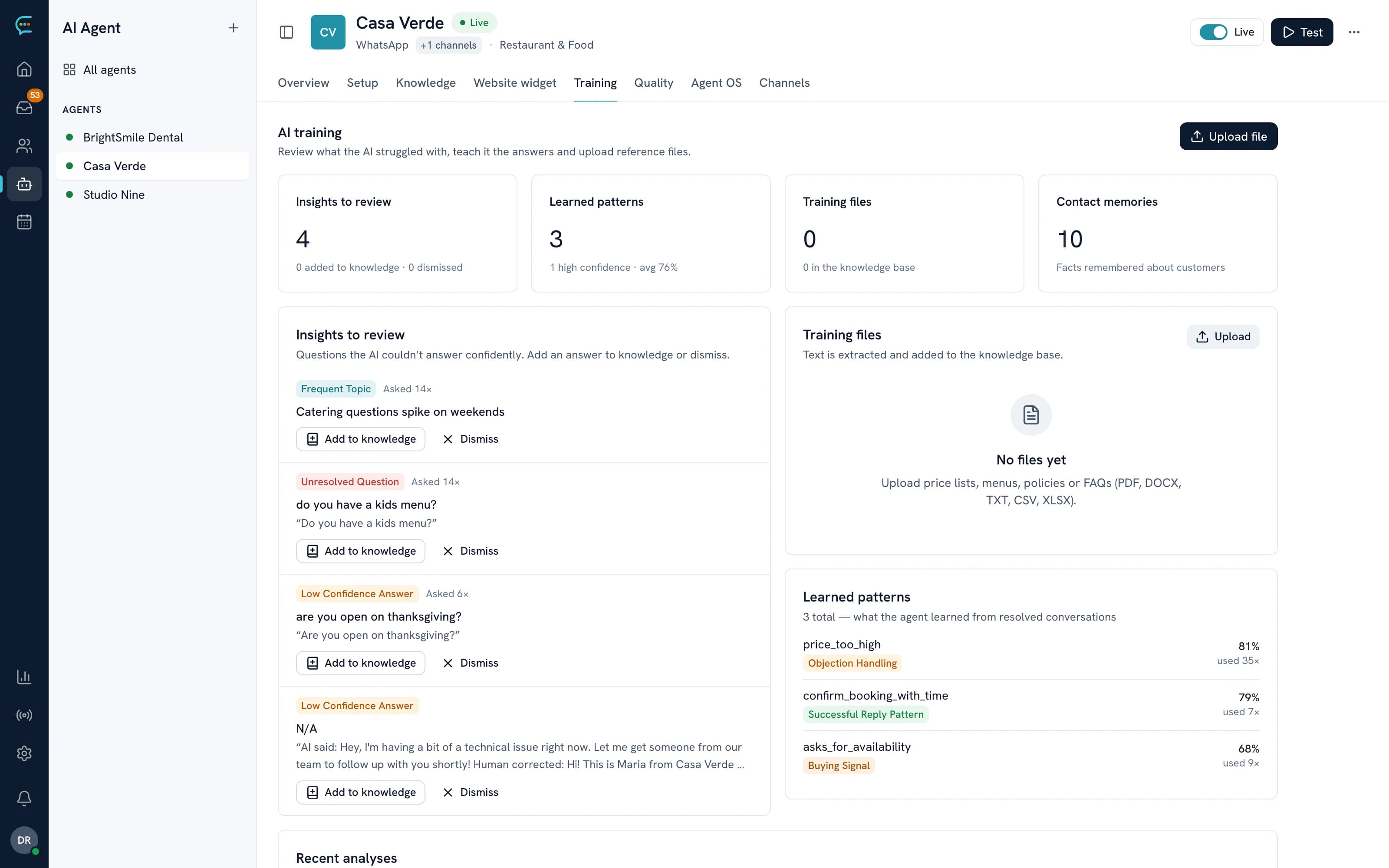
Point it at your website, write a few articles, upload your price list. Before every reply the AI Employee searches that knowledge and answers from what it finds. Questions it couldn't answer show up in Training, ready to turn into a new article.
- Website crawling with an optional scheduled re-crawl
- Articles, FAQs, PDF, TXT and CSV files, and Help Center articles
- Unanswered questions collected for you to fill the gaps
- Knowledge base on Pro and above
Actions
It answers, then gets the job done.
Each action runs only when the AI Employee has the information it needs, and only if you've switched it on.
Books appointments
Checks real availability and books, reschedules or cancels inside the conversation, with reminders before the visit.
Captures and qualifies leads
Collects contact details and what the customer needs, scores the lead from 0 to 100 and adds it to your pipeline.
Takes quote requests
Gathers the details of a job or order request and passes it to your team as a structured request.
Keeps the CRM current
Updates the customer's profile with what they shared, so the next conversation starts with context.
Follows up
Schedules follow-ups and review requests after a conversation, on the channel the customer used.
Calls your own systems
With data connectors it can look things up in your APIs, with security checks on every call. Plans with API access.
Human handoff
Knows when to bring in a person
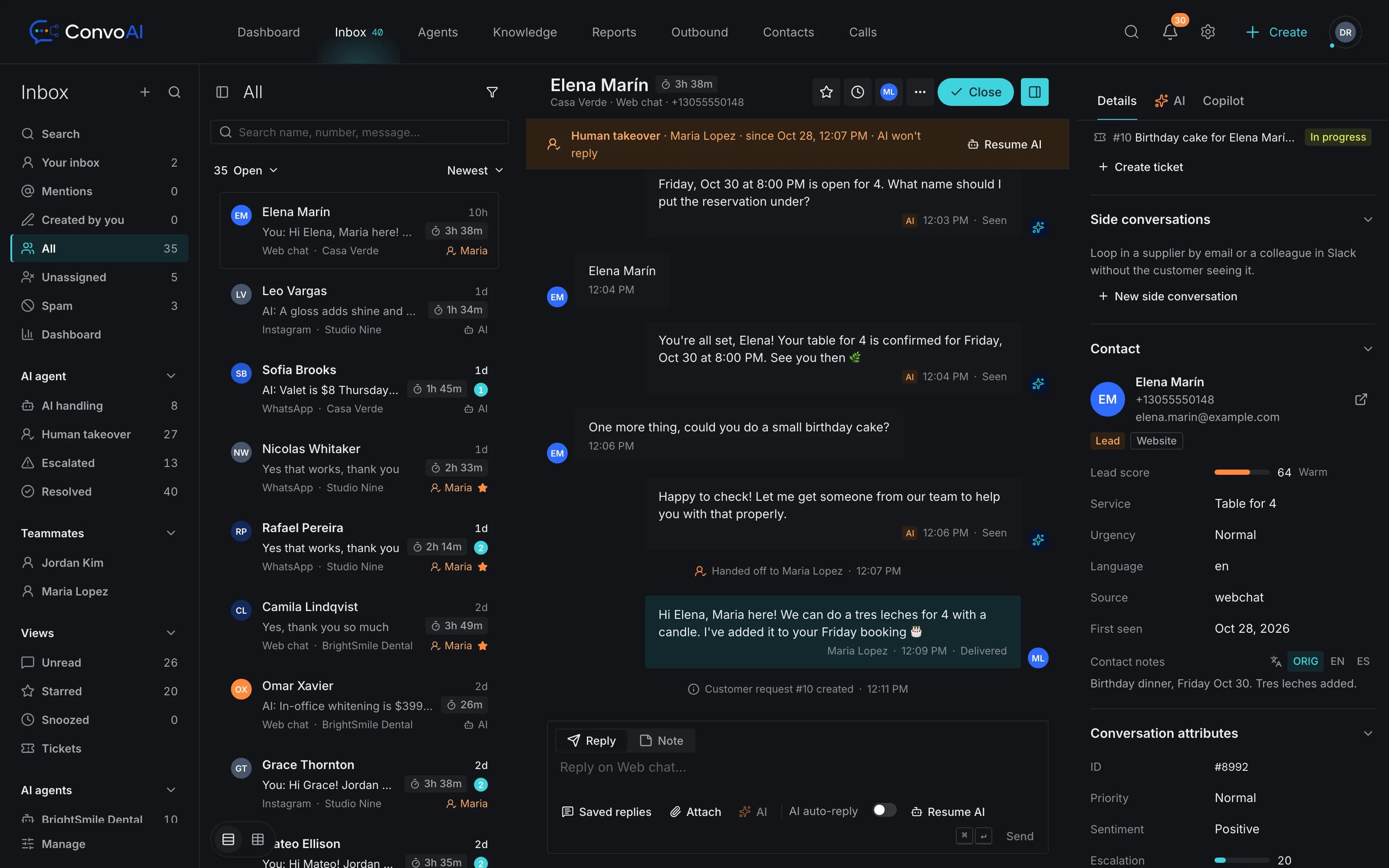
When a customer asks for a person, or the AI Employee isn't confident in an answer, it hands the conversation to your team instead of guessing, and tells the customer a teammate is on the way.
- Escalates on request, or when it can't answer confidently
- An AI summary so your teammate starts with context
- Take over in one click; on web chat your reply pauses the AI
- Hand the conversation back to the AI when you're done
Getting started
Live on your website in an afternoon.
- Step 1
Describe your business
Name, hours, services and tone. The AI Employee writes its own first draft of how it should behave.
- Step 2
Add your knowledge
Crawl your website, upload files and write the answers you give most often.
- Step 3
Test it safely
Try it in test mode first: nothing is booked, sent or changed while you check its answers.
- Step 4
Install one script
Paste one script tag on your site, then add WhatsApp or email when you're ready.
Your messenger
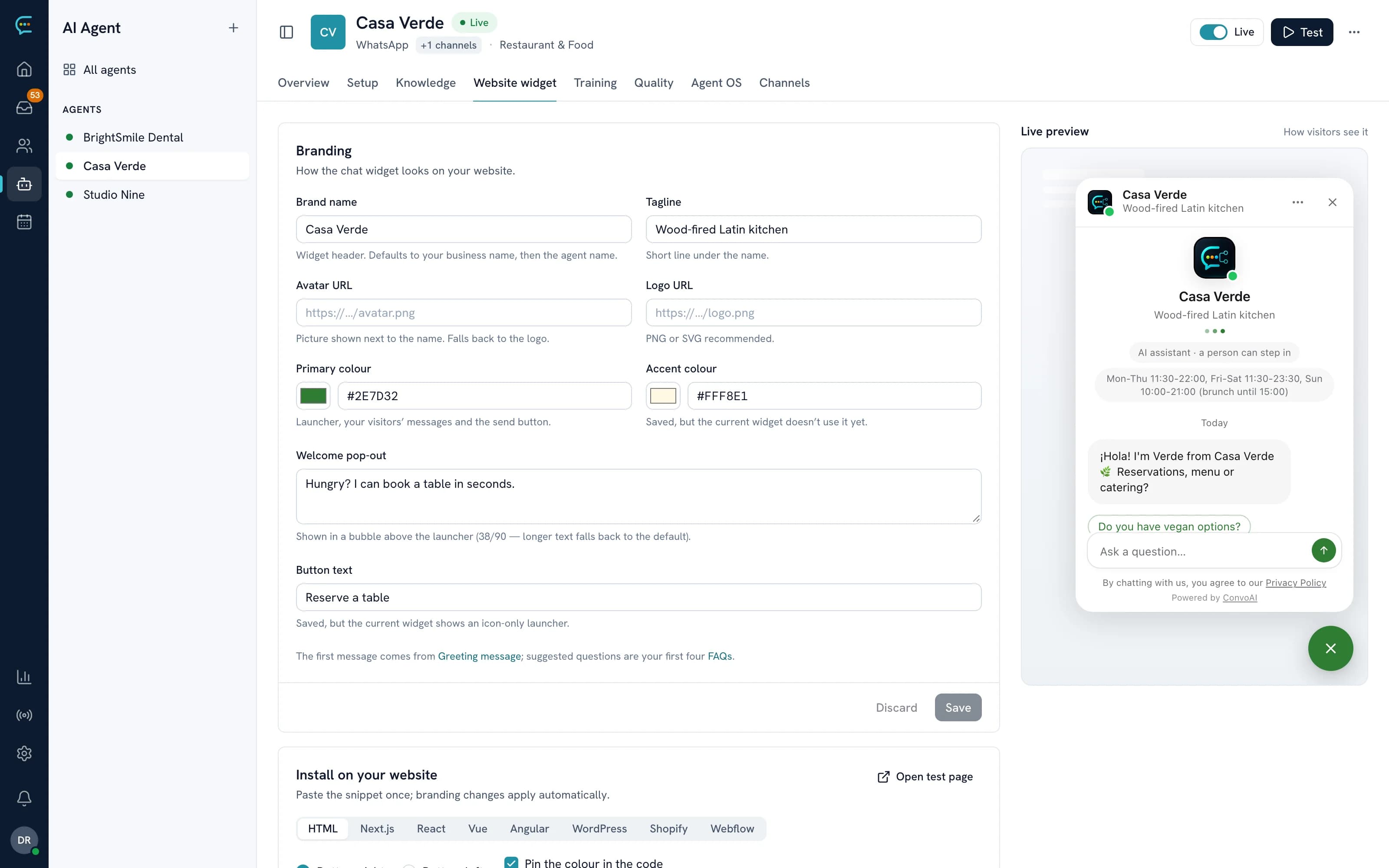
Looks like part of your site
Upload your logo, write your greeting and choose what the messenger shows: a home screen, your Help Center articles and news posts. Visitors can send files, verify who they are and rate the conversation when it's done.
- Interface in English, Spanish, Portuguese and French
- Home, Help and News spaces
- Attachments, identity verification and CSAT ratings
- Native iOS and Android SDKs and a React Native bridge
Developers: SDKs and the JavaScript API.
What does the AI Employee answer from?
From the knowledge you give it: website pages it crawls, articles and FAQs you write, uploaded PDF, TXT and CSV files, and your Help Center. It searches that content before every reply and escalates to your team when it can't find a confident answer, instead of guessing. The knowledge base is included on Pro and above.
Which languages does it speak?
It replies in the language the customer writes in. The messenger's own interface is available in English, Spanish, Portuguese and French.
Can it take actions, not just answer?
Yes, within limits you set. It can check availability and book, reschedule or cancel appointments, capture leads and quote requests, update the customer's CRM profile, schedule follow-ups and ask for reviews. On plans with API access it can call your own systems through data connectors. It does not take payments or create store orders.
What happens when a question needs a person?
The AI Employee hands the conversation to your team: when a customer asks for a person, or when it isn't confident in an answer. Your teammate sees the whole conversation and an AI summary in the inbox, takes over in one click, and can hand it back to the AI afterwards.
Is it the same AI Employee on WhatsApp and email?
Yes. One AI Employee, trained once, answers in the website messenger, on WhatsApp and by email, and every conversation lands in the same inbox. Instagram, Messenger and SMS are in private beta.
How much does it cost?
Every plan includes one AI Employee. Free includes a set number of AI replies per period; Pro includes unlimited AI replies. See the pricing page for the current plans. See pricing.
Get started
Put an AI Employee on your website today.
Start free with one AI Employee, then add your team, WhatsApp and email as you grow.