Omnichannel
Every channel your customers use.One AI Employee. One inbox.
Start with the messenger on your website, then add WhatsApp and email. The same AI Employee answers everywhere, and every conversation lands in the same queue for your team.
The problem
Customers pick the channel. Your answers shouldn't depend on which one.
- 01
Each channel has its own tool, its own login and its own copy of the customer.
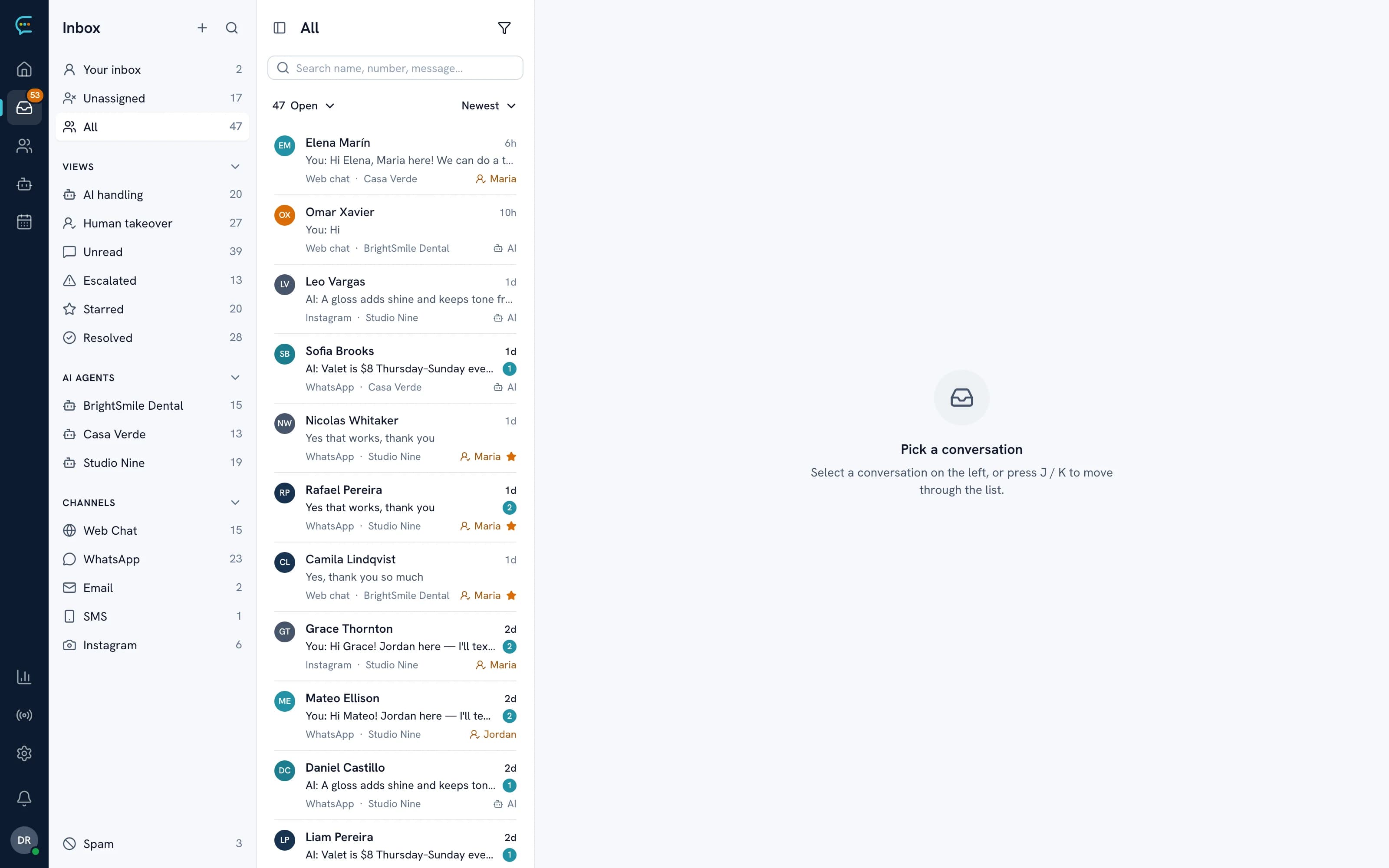
One contact profile per customer, with every conversation from every channel on it.
- 02
The website bot and the WhatsApp bot say different things.
One AI Employee trained once, so the answer is the same wherever the question arrives.
- 03
Messages outside office hours wait until morning.
The AI replies instantly on every channel and hands the rest to your team.
Channels
Live today, with honest labels for the rest.
Availability as it stands now. Private beta channels are set up with our team; 'Needs setup' means an app or bot must be connected for your workspace.
- Live
Website messenger
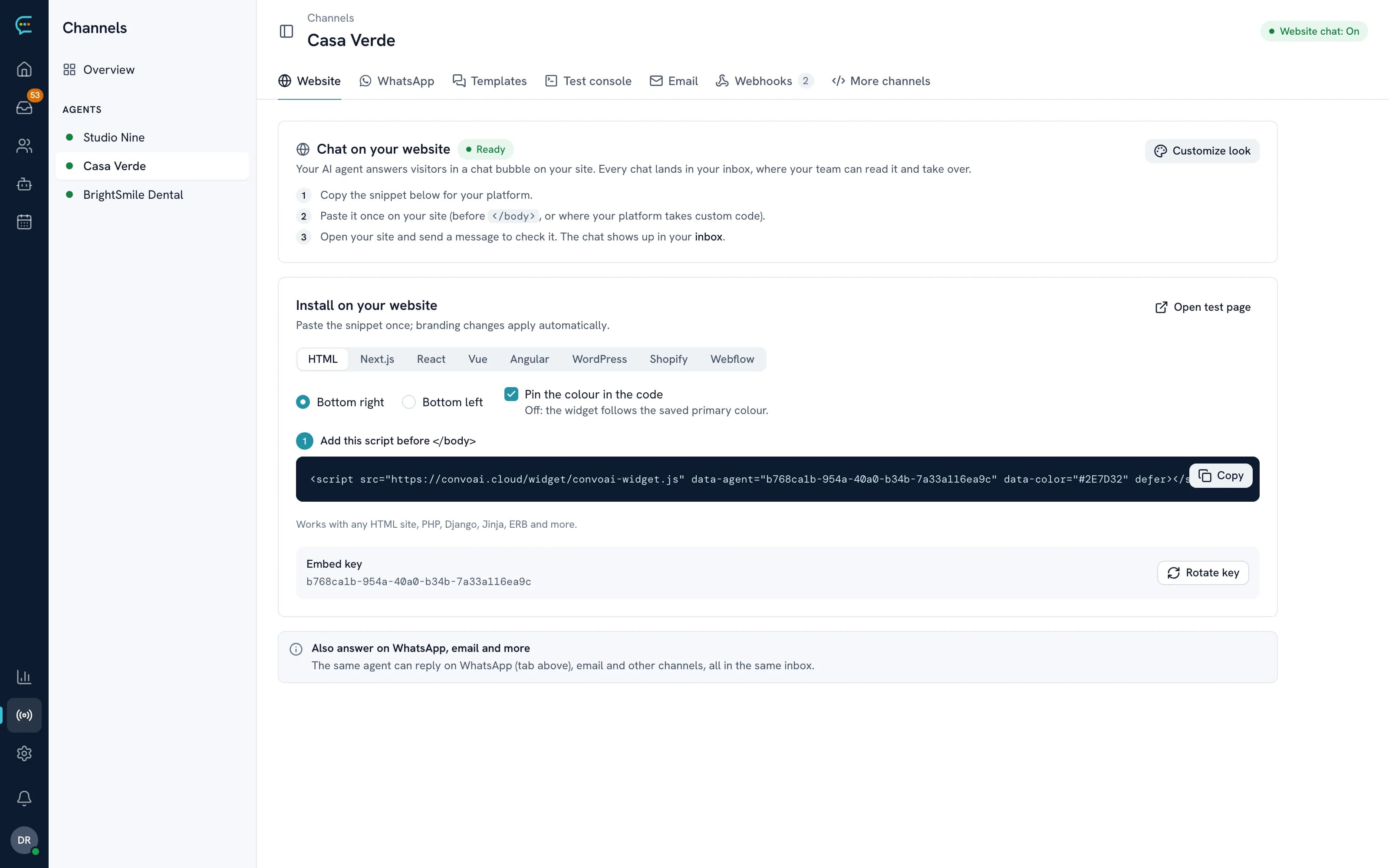
One script tag on any site. Home, Help and News spaces, attachments, CSAT and identity verification.
- Live
WhatsApp
Meta's official Cloud API with Embedded Signup, message templates and broadcasts.
- Live
Email
Forward your support address; replies go out from the inbox as normal email.
- Beta
Instagram
Direct messages in the same queue. Set up with our team.
- Beta
Messenger
Facebook Page messages in the same queue. Set up with our team.
- Beta
SMS
Two-way text messages through Twilio. Set up with our team.
- Needs setup
Slack
Answer customers in shared Slack channels, and use Slack for side conversations.
- Needs setup
Discord
A bot per AI Employee answers in your community server.
Website first
The messenger is where it starts
Most customers meet you on your website. ConvoAI's messenger installs with one script tag, answers in the visitor's language and keeps the conversation when they come back. When they leave, they can carry on by email or WhatsApp with the same history.
- One script tag on any website
- Multiple chatboxes, each with its own AI Employee
- Conversation history restored for returning visitors
- Interface in English, Spanish, Portuguese and French
WhatsApp customer service automation
WhatsApp on Meta's official API
Connect your WhatsApp Business number with Embedded Signup and the AI Employee answers there too: questions, bookings and rescheduling, with confirmations and reminders in the same chat. Your team sees each thread in the inbox and can step in at any time.
- Official WhatsApp Cloud API, connected from the dashboard
- Rich templates with media, buttons and lists on Pro
- Broadcasts to segments, now or scheduled, skipping opted-out contacts
- Click-to-WhatsApp ads attribution on Pro
Clínica Sol
online
Which channels are generally available?
The website messenger, WhatsApp (Meta's official Cloud API) and email are live for every customer. Instagram, Messenger and SMS are in private beta and set up with our team. Slack and Discord work but need an app or bot set up for your workspace. phone AI Employees are an Enterprise feature.
Is it one AI Employee for every channel?
Yes. You train one AI Employee once, and it answers on each channel you connect, adapting to the channel: short messages on WhatsApp, a proper email reply by email.
Do I need a WhatsApp Business API provider?
No. You connect your number to Meta's official WhatsApp Cloud API with Embedded Signup from the dashboard, without a separate provider. Meta's own conversation charges and template rules still apply.
Can I send WhatsApp broadcasts?
Yes, on Pro and above: approved WhatsApp templates to a segment, sent now or scheduled, and contacts who opted out are skipped. Broadcasts can also go by email or SMS.
What happens to the 24-hour WhatsApp window?
The inbox shows whether a WhatsApp conversation's customer-service window is open. Outside it, you reply with an approved template, as Meta requires.
Get started
Answer customers wherever they write.
Start on your website for free, then connect WhatsApp and email from the same dashboard.