

AI PhoneEnterprise
Every call answered.The hard ones go to your team.
An voice AI Employee picks up your business line, answers routine questions in a natural voice and transfers callers to a person when they need one. The transcript and a summary are already saved with the call.
Powered by Retell. Numbers are set up by our team.
The problem
Missed calls are missed customers.
- 01
Calls ring out after hours and at lunch, and most callers don't leave a voicemail.
The AI Employee answers every inbound call, day and night.
- 02
Staff spend the day repeating hours, directions and policies.
Routine questions are answered from the same knowledge your chat AI Employee uses.
- 03
When a call is passed on, the customer explains everything twice.
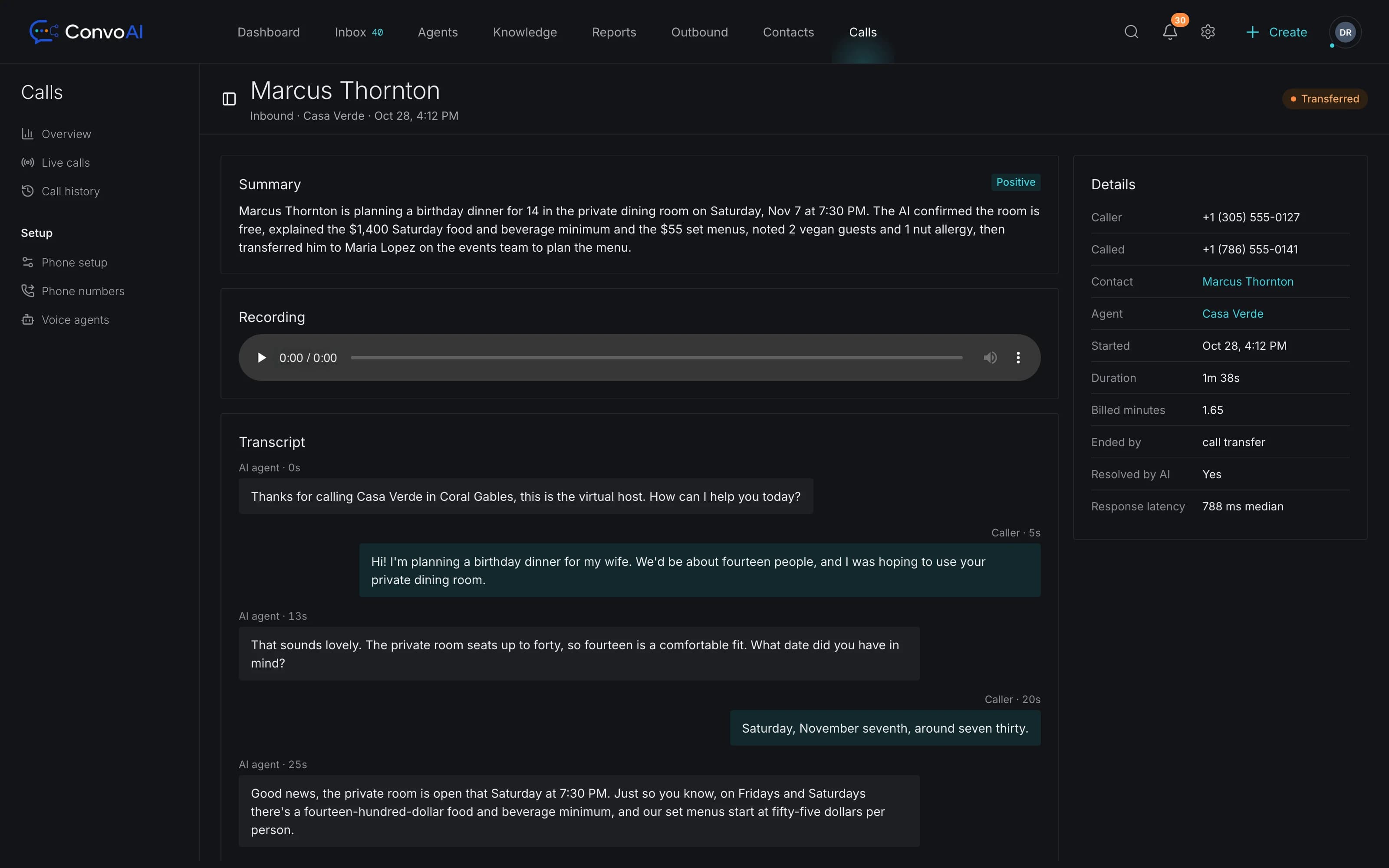
Transfers arrive with the transcript and an AI summary attached.
AI voice receptionist
EnterpriseA receptionist that sounds like your business
Pick a voice from the voice library, write the greeting and tell the AI Employee what each call should achieve. Changes are saved as a draft, published when you're ready and kept in a version history you can go back to.
- Inbound AI calls with your greeting and call objectives
- Voice library to choose how the AI Employee sounds
- Draft, publish and version history for every change
- Test calls from your browser before going live, not billed
Human escalation
From the AI to a person, without starting over
- Step 1Customer
A customer calls
The voice AI Employee answers with your greeting and works toward the call's objective.
- Step 2AI Employee
The AI handles what it can
Opening hours, directions, policies and common questions, answered from your knowledge.
- Step 3AI Employee
It transfers when needed
Warm transfer with an introduction, or cold transfer straight to the right person.
- Step 4Your team
Your team picks up with context
The call shows in the inbox with its transcript, AI summary and sentiment.
Call records
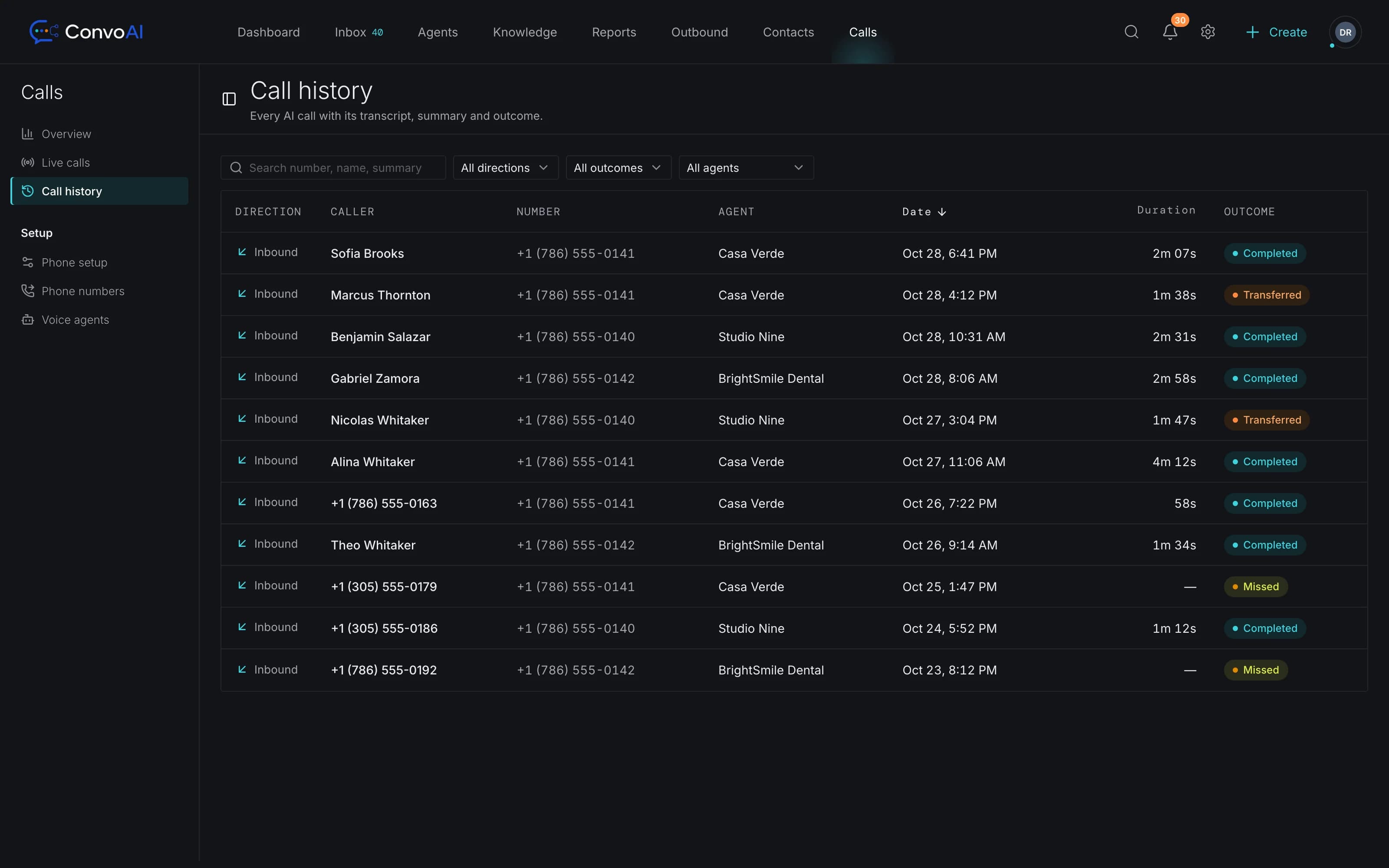
Every call, written down and searchable
Calls in the inbox
Every call becomes a conversation in the shared inbox and appears on the contact's timeline next to their chats and emails.
Transcripts and summaries
A full transcript, an AI summary and the caller's sentiment are saved with each call.
Recordings
Recordings play back inside ConvoAI, so you can review a call without leaving the conversation.
Live calls and history
See calls in progress, overview numbers and the complete call history in one place.
Warm and cold transfer
Hand a caller to a teammate with an introduction, or pass them straight through.
- Coming soon
Outbound AI calls
Proactive AI calls for reminders and follow-ups, once consent and calling-rules review is done.
Phone for your team
Needs setupYour team's phone, in the browser
Connect your own Twilio number and your team can take and make calls from ConvoAI. Calls follow your office hours, a simple menu routes them, and nothing goes unanswered.
- Browser softphone with hold and transfer to a person or team
- IVR greeting with office hours and a one-digit menu
- Rings teammates, then forwarding numbers, then voicemail
- Recordings with a transcript and AI summary saved as a note
- Outbound calls ring the teammate first, then the customer
- 01Office hours check
- 02Menu: 1 Sales · 2 Support
- 03Ring the team
- 04Forwarding numbers
- 05Voicemail with transcript
- How an incoming call is routed (illustration)
Which plan includes AI Phone?
voice AI Employees are part of the Enterprise plan. Voice usage and pricing are agreed with our team when we set up your numbers, so you know the cost before the first call. See Enterprise.
Can I try a live call first?
Yes. Ask for a live call demo through the contact form and we'll set one up with you. Once your AI Employee is built, you can also place test calls to it from your browser before it goes live; test calls aren't billed.
How do I get a phone number?
Numbers are provisioned by the ConvoAI team and assigned to your workspace during setup. Numbers aren't self-serve yet.
Can the AI make outbound calls?
Not yet. AI outbound calling is on the roadmap and is being held back until consent and calling-rules review is complete. Today the voice AI Employee answers inbound calls. Your team can still call customers from the browser softphone.
What happens when the AI can't help?
It transfers the call to a person: a warm transfer, where the AI introduces the caller first, or a cold transfer straight through. Either way the call, its transcript and summary are saved in the inbox.
Are calls recorded?
Calls can be recorded and transcribed, and recordings play back inside ConvoAI. Whether and how you must tell callers depends on where you and they are; see the consent notes on this page.
AI Phone
Put an AI receptionist on your business line
Tell us about your call volume and we'll set up your numbers, your voice AI Employee and a live call demo.