Workflow automation
Let the routine workrun itself.
Route conversations to the right team, ask for the details you always need, follow up when customers go quiet and reach the right people with scheduled messages, without writing code.
Workflows and broadcasts are included in Pro and Enterprise.
The problem
Your team shouldn't be the automation
- 01
Every conversation is triaged by hand before anyone can help.
Workflows and round robin assign it to the right team inbox.
- 02
AI Employees ask for the order number in every single chat.
A workflow asks first and saves the answer to the contact.
- 03
Customers who stop replying are simply forgotten.
Waits and follow-ups bring the conversation back.
Workflows
If this happens, do that, then wait
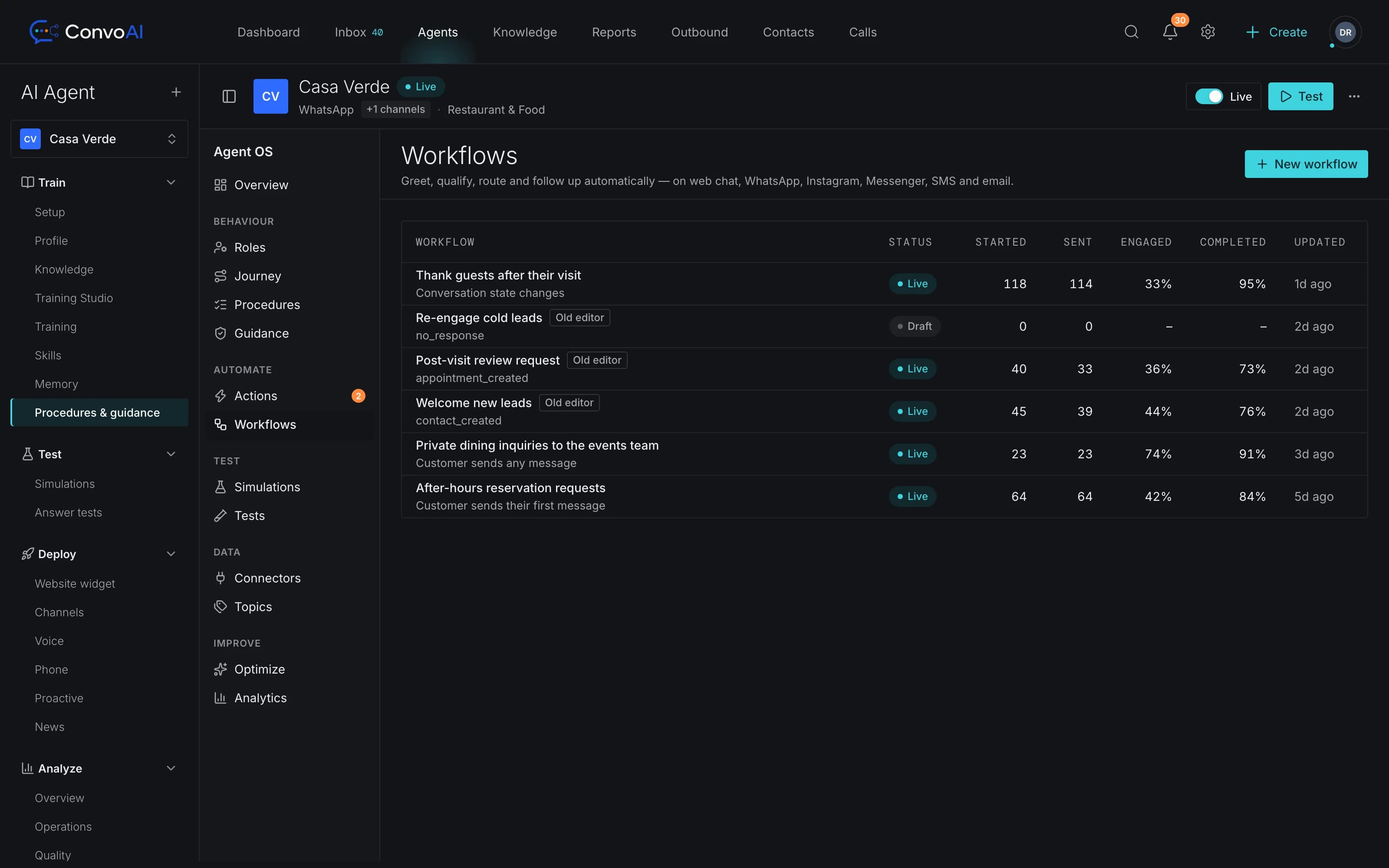
Build workflows from events, conditions and steps. They run in the background on every channel, so the same rule covers website chat, WhatsApp and email.
- Triggers: conversation, message, contact, ticket and tag events
- Conditions that decide which path each conversation takes
- Wait steps and “ask the customer” steps that save answers
- Assign, tag, set priority, send a message or follow up
- WhenA new conversation starts on the website
- IfContact tag is “VIP” or the message mentions “refund”
- ThenAssign to the Billing team inbox (round robin)
- Ask“What's your order number?” and save it to the contact
- Wait4 hours without a reply
- ThenSend a follow-up and set priority to high
Routing
The right conversation to the right person
Team inboxes and round robin
Spread new conversations evenly across a team, skipping people who are away and respecting workload limits.
SLAs and office hours
Timers for first response, next response and resolution, counted in business hours if you like, with breach alerts.
Macros
Saved replies that can also assign, tag and snooze in one click.
Proactive messages
Reach customers before they ask
Broadcasts
Send to a segment over WhatsApp templates, email or SMS, now or scheduled. Opted-out contacts are skipped.
Series
Multi-step journeys that follow up over days, not just once.
In-messenger posts and banners
Announcements, chats and banners shown inside your website messenger.
Product tours and checklists
Guide new customers through your product step by step.
Surveys
Ask a quick question inside the messenger and keep the answers.
Scheduled sends
Pick the date and time and the message goes out on schedule, in the background.
Which plans include workflows?
Workflows and broadcasts are part of Pro and Enterprise. Pro includes up to 20 workflows and broadcasts of up to 1,000 recipients. The Free plan doesn't include workflows. Compare plans.
What can start a workflow?
Conversation, message, contact, ticket and tag events: for example a new website conversation, a message that mentions a refund, or a tag being added to a contact.
Can a workflow wait or ask the customer something?
Yes. Workflows can check conditions, wait for a set time, and ask the customer a question and save the answer before they continue.
Which channels can broadcasts use?
WhatsApp (approved templates), email and SMS, sent right away or scheduled. Contacts who opted out are skipped.
Do automations stop when a person takes over?
Workflows keep running their internal steps, but stop messaging the customer once a teammate has replied after taking the conversation over.
Get started
Automate the busywork, keep the human touch
Start free, then switch on workflows and broadcasts with Pro when you're ready.