
ConvoAI Helpdesk
Where your teamtakes over from the AI.
A shared inbox for every website chat, WhatsApp thread and email. The AI handles the first reply; your team handles what needs a person, with the whole history in front of them.
The problem
Support teams don't need another tab. They need one queue that knows what the AI already did.
- 01
Chats, WhatsApp and email live in three different tools.
Every channel lands in one queue, with one customer profile and one history.
- 02
Nobody knows who owns a conversation, so some wait for hours.
Team inboxes, round-robin assignment and SLA timers make ownership and urgency visible.
- 03
AI Employees rewrite the same answers all day.
Macros and Copilot drafts turn the common replies into one click, grounded in your knowledge.
Shared inbox
One queue. Every channel. Full context.
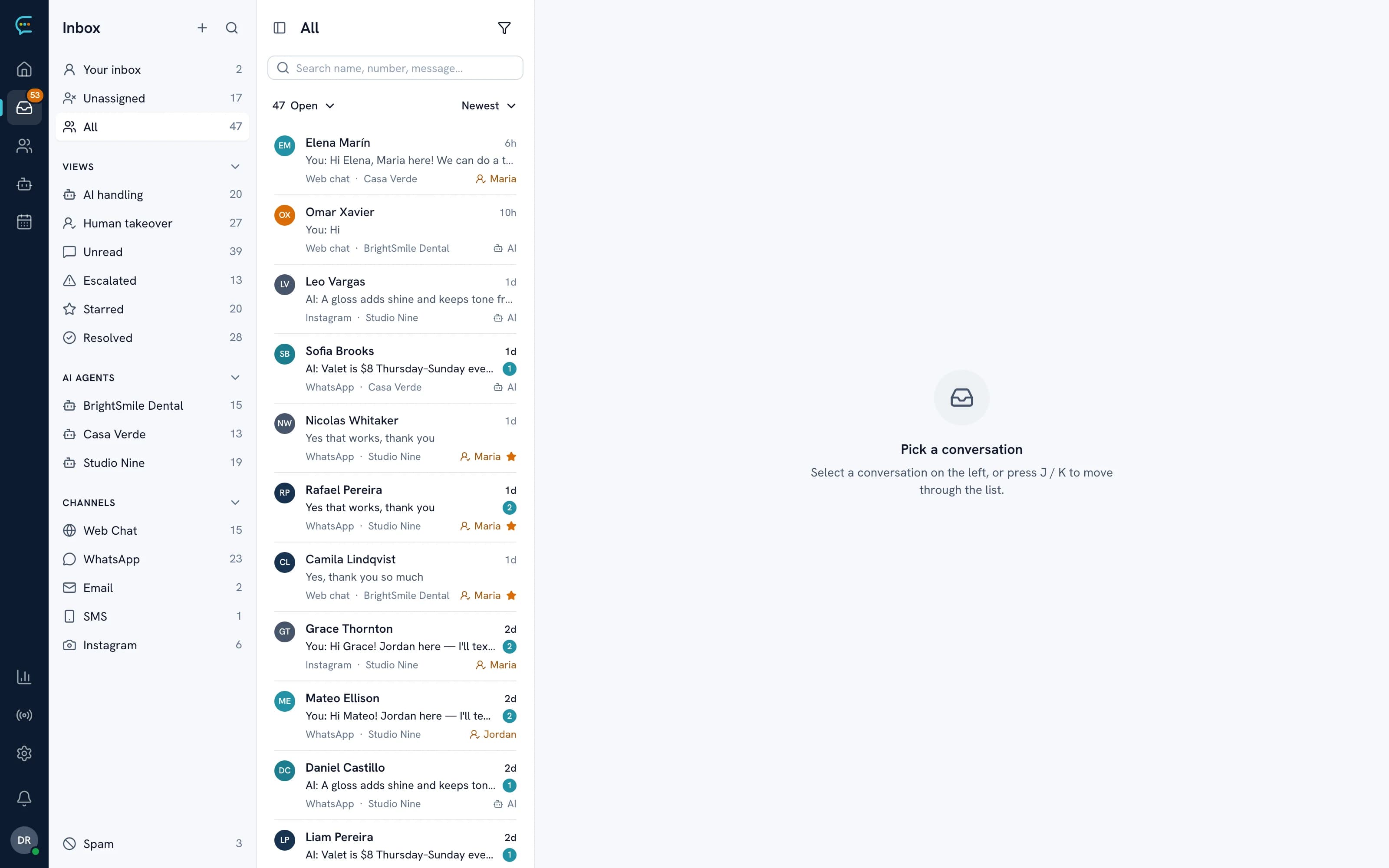
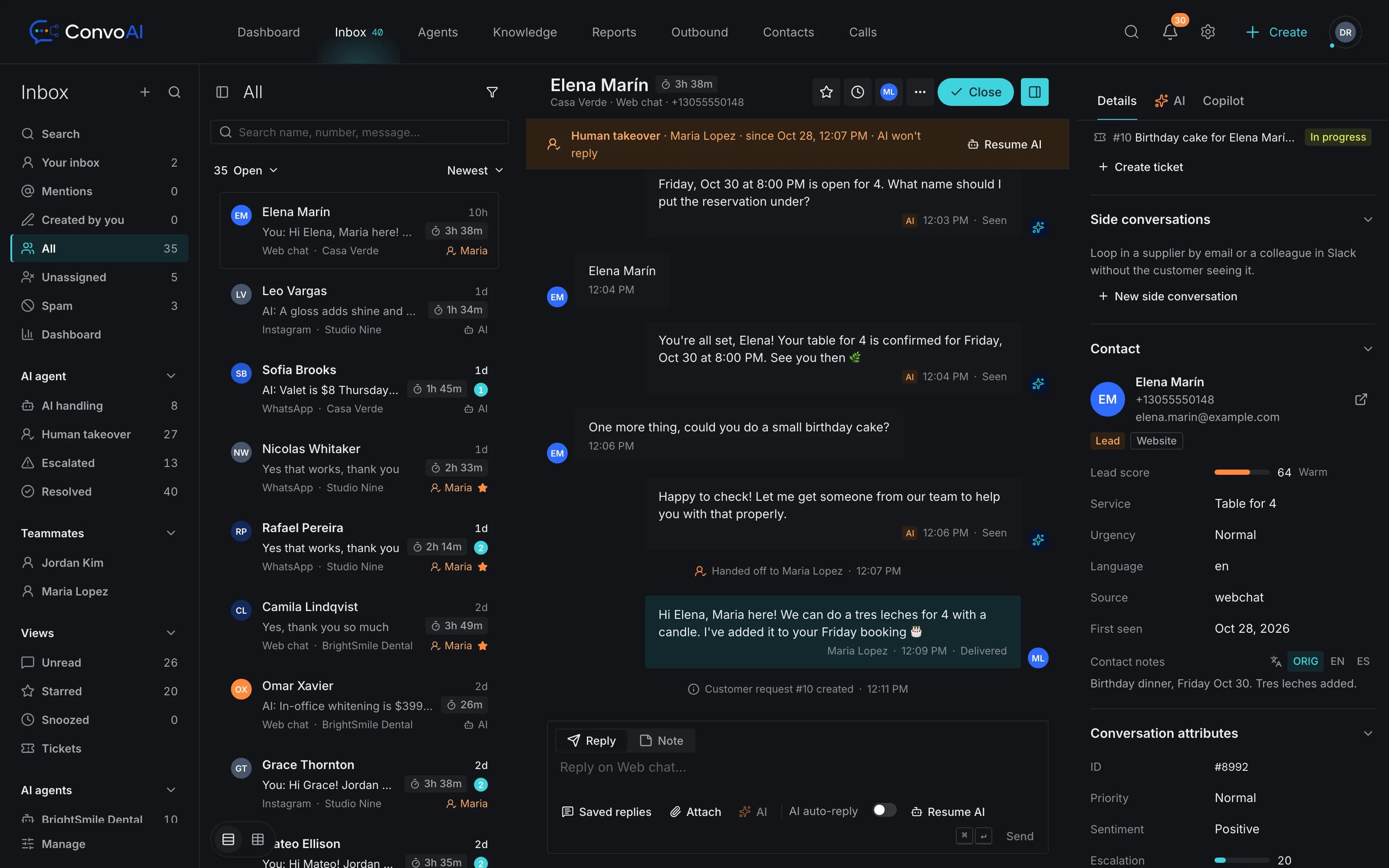
See which conversations the AI is handling and which are waiting for a person. Open one and you get the customer's profile, every past conversation and the AI's summary of the chat next to the thread.
- Views for AI-handled, waiting, assigned to me and unassigned
- Tags, priority, snooze, star and spam
- Merge duplicate conversations and contacts
- @mention a teammate in an internal note
Routing and SLAs
The right teammate, before the customer has to ask twice.
Team inboxes
Separate queues for sales, support or each location, each with its own members and rules.
Round-robin assignment
New conversations go to the next available teammate, skipping anyone who is away or already at their limit.
SLA timers
Targets for first response, next response and resolution, with alerts or escalation when one is about to be missed.
Office hours and holidays
Per-timezone hours and holidays set expectations in the messenger and pause SLA clocks outside business hours.
Away and active status
Teammates set themselves away, and assignment respects it.
Live team dashboard
Open, waiting and assigned conversations per teammate, in real time.
Copilot
An AI teammate for your teammates
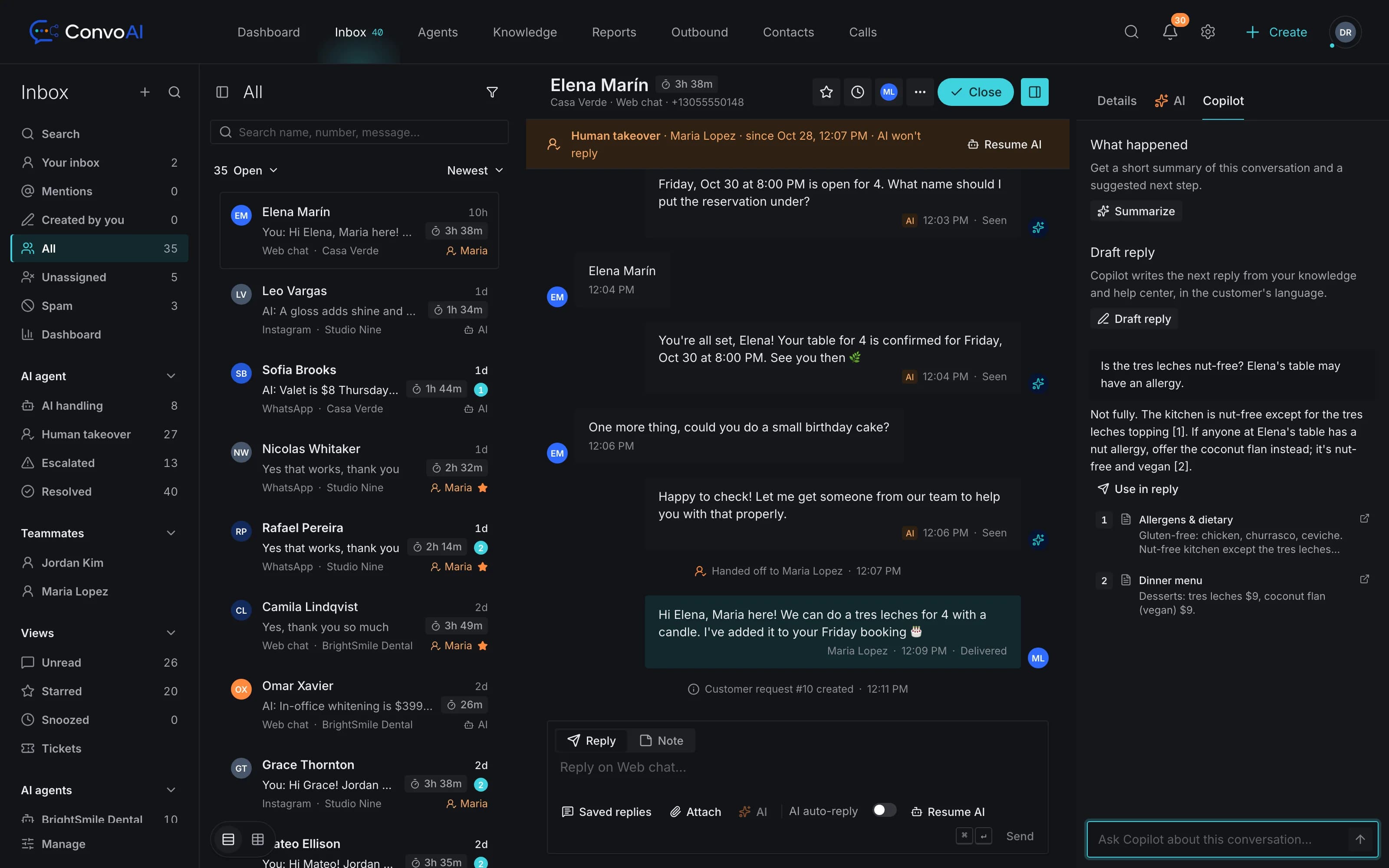
Ask Copilot a question about a customer's issue and it answers with numbered sources from your knowledge base, Help Center and conversations your team already resolved. It drafts a reply into the composer for you to check and send; it never sends on its own.
- Answers with sources you can open and check
- Drafts replies, rewrites tone and translates
- Summarises long conversations in a click
- Two-way translation: read and reply in your own language
Teamwork
Built for teams that work the same queue.
Collision detection
See who else is viewing or typing in a conversation before you start your reply.
Macros
Saved replies that can also assign, tag and snooze the conversation in the same click.
- Needs setup
Side conversations
Loop in a colleague or supplier by email or Slack without leaving the customer's thread.
AI translation
Messages are translated both ways, so any teammate can help any customer.
Reporting
See where the AI helps and where people do
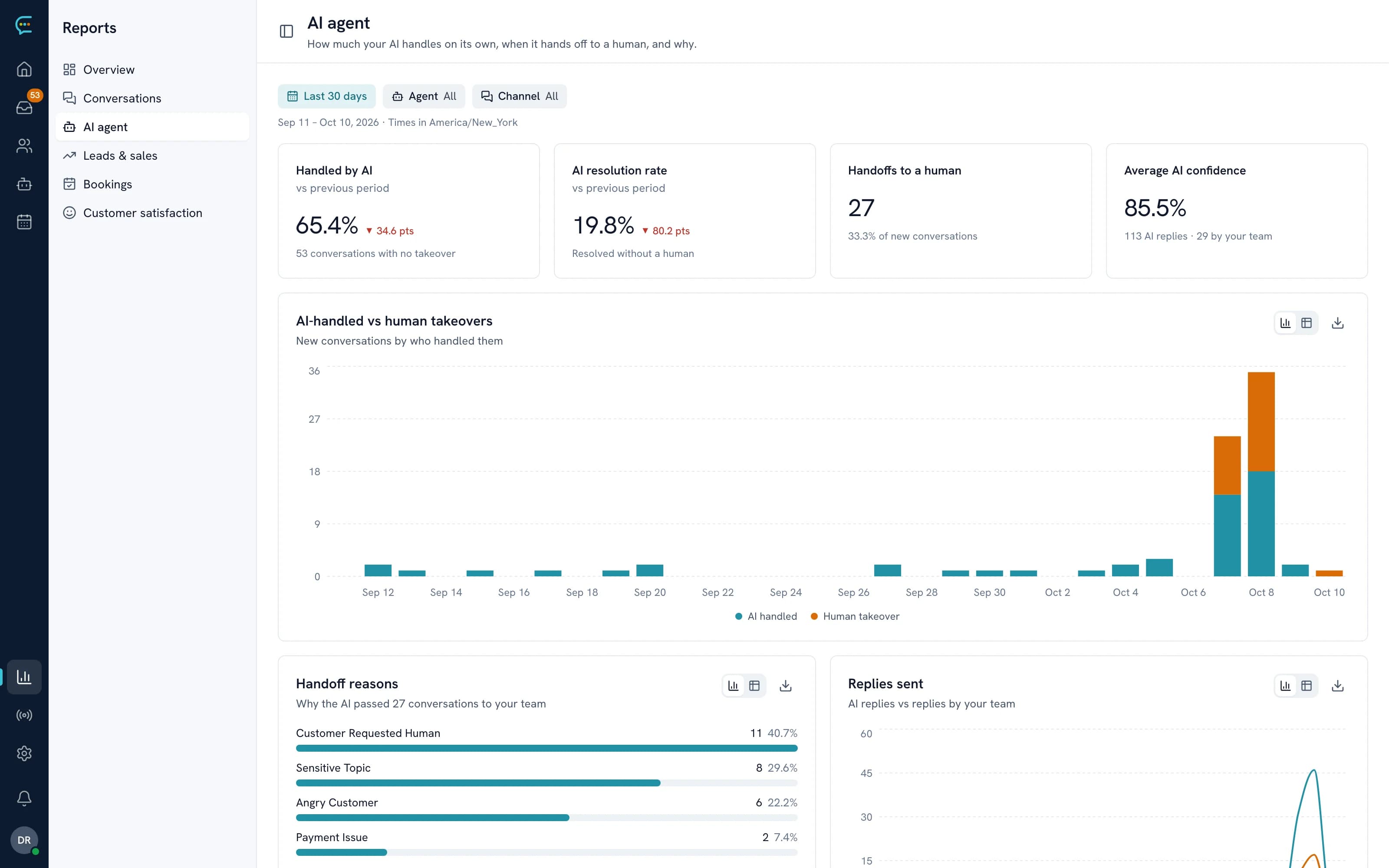
Track how many conversations the AI resolves, how many it hands over, response times, CSAT and SLA performance, then build your own reports or schedule them by email. Analytics and reports are on Pro and above.
- AI-handled vs human, day by day
- CSAT after every conversation
- Custom report builder and CSV export
- Scheduled reports by email
Do I need the AI Employee to use the helpdesk?
No. The inbox works on its own: you can switch the AI off for an AI Employee, a channel or a single conversation and answer everything yourselves. Most teams let the AI take the first reply and step in where a person is needed.
How are conversations assigned?
Each team inbox can assign new conversations round robin. Assignment skips teammates who are set to away and respects each person's limit on open conversations. You can also assign by hand, or with macros and workflows.
What do SLAs measure?
First response, next response and time to resolution. Each target can count business hours only, using your office hours and holidays, and a breach can alert the team or escalate the conversation.
Will two teammates answer the same customer?
The inbox shows who else is viewing or typing in a conversation, so you can see a colleague is already on it before you start writing.
What does Copilot do?
Copilot sits beside the conversation. It answers your teammate's questions with numbered sources from your knowledge, Help Center and past resolved conversations, drafts a reply into the composer (it never sends one), rewrites or translates text and summarises long threads.
How many teammates can I add?
Free includes one seat and Pro includes up to ten. Enterprise is sized to your team. See pricing for the current limits. See pricing.
Get started
Give your team one inbox for everything.
Start free, invite your team on Pro, and let the AI take the first reply on every channel.